🌱 Isley

Self-Hosted Cannabis Grow Journal

Track, trend, and elevate your grow — all in one place. Environmental monitoring, seed inventory, harvest tracking, and more.

Everything you need to manage your grow

One self-hosted tool to replace the vendor apps, spreadsheets, and notepads

📒
Grow Logs

Track plant growth, watering, and feeding with custom activity types. Timestamped activity logs per plant.

🌡️
Environmental Monitoring

Real-time sensor data from AC Infinity and EcoWitt, plus a custom HTTP ingest API for any hardware.

🌱
Seed Inventory

Manage strains, breeders, and seed stock with Indica/Sativa ratios, lineage, and autoflower tracking.

📈
Graphs & Charts

Visualize sensor data over time with configurable retention windows and interactive zoom.

📊
Harvest Tracking

Record harvest dates, yields, and full cycle times. Compare results across grows.

📸
Image Uploads & Webcams

Attach photos with captions, overlays, and watermarks. Periodic snapshots from camera streams via FFmpeg.

💾
Backup & Restore

Cross-database portable backups with optional image bundling. Migrate between SQLite and PostgreSQL.

🌍
Internationalization

Available in English, German, Spanish, and French. Contribute translations on GitHub.

🔓
Guest Mode & API

Optional read-only access for visitors. HTTP API for custom sensors, OBS overlays, and home automation.

See Isley in action

A few views from the app
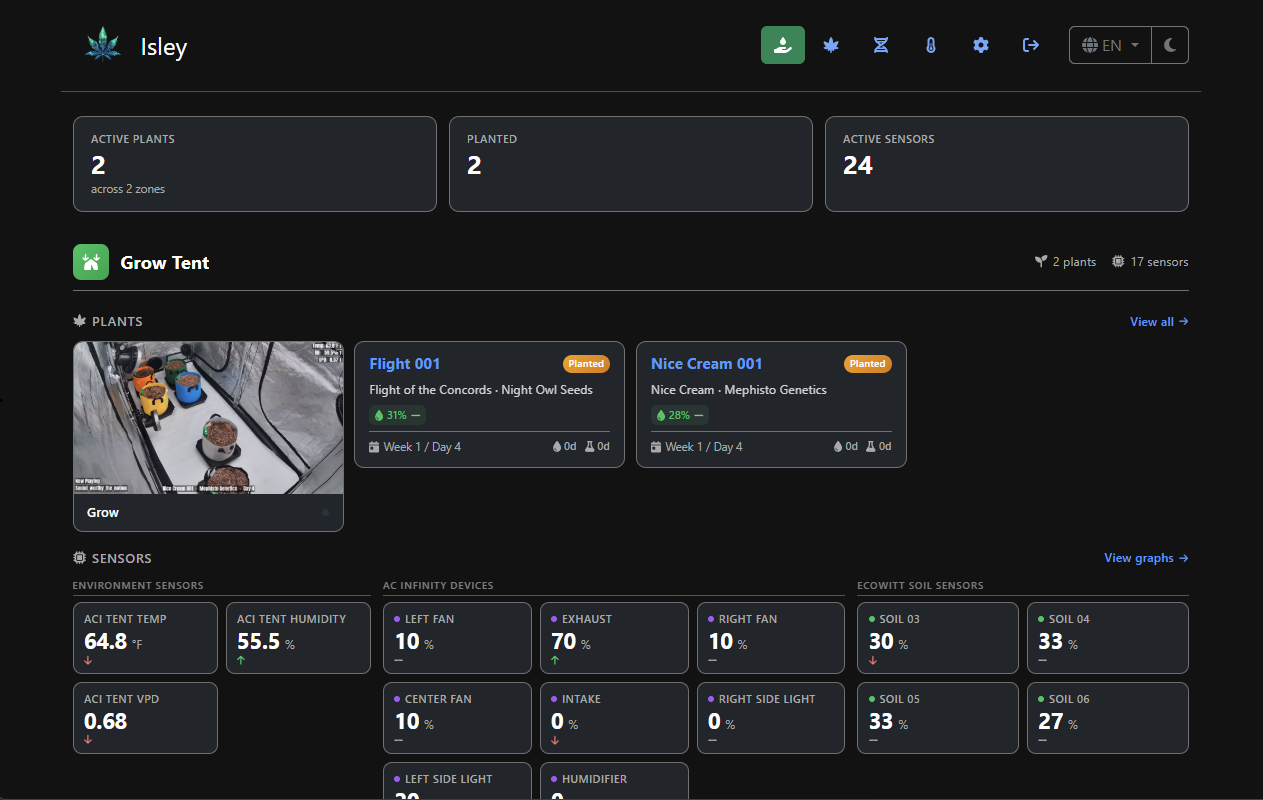
Dashboard
Dashboard — zones, sensors, and plants at a glance
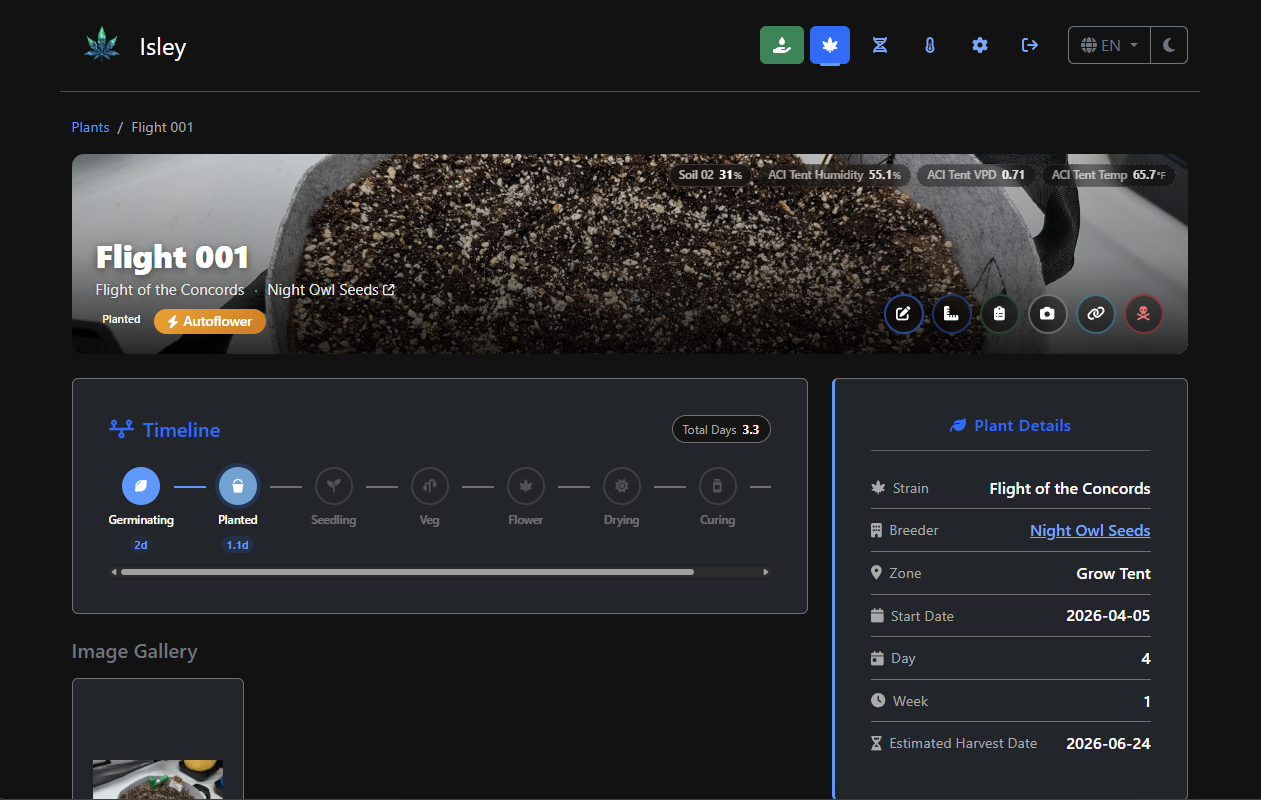
Plant Detail
Plant Detail — timeline, linked sensors, and image gallery
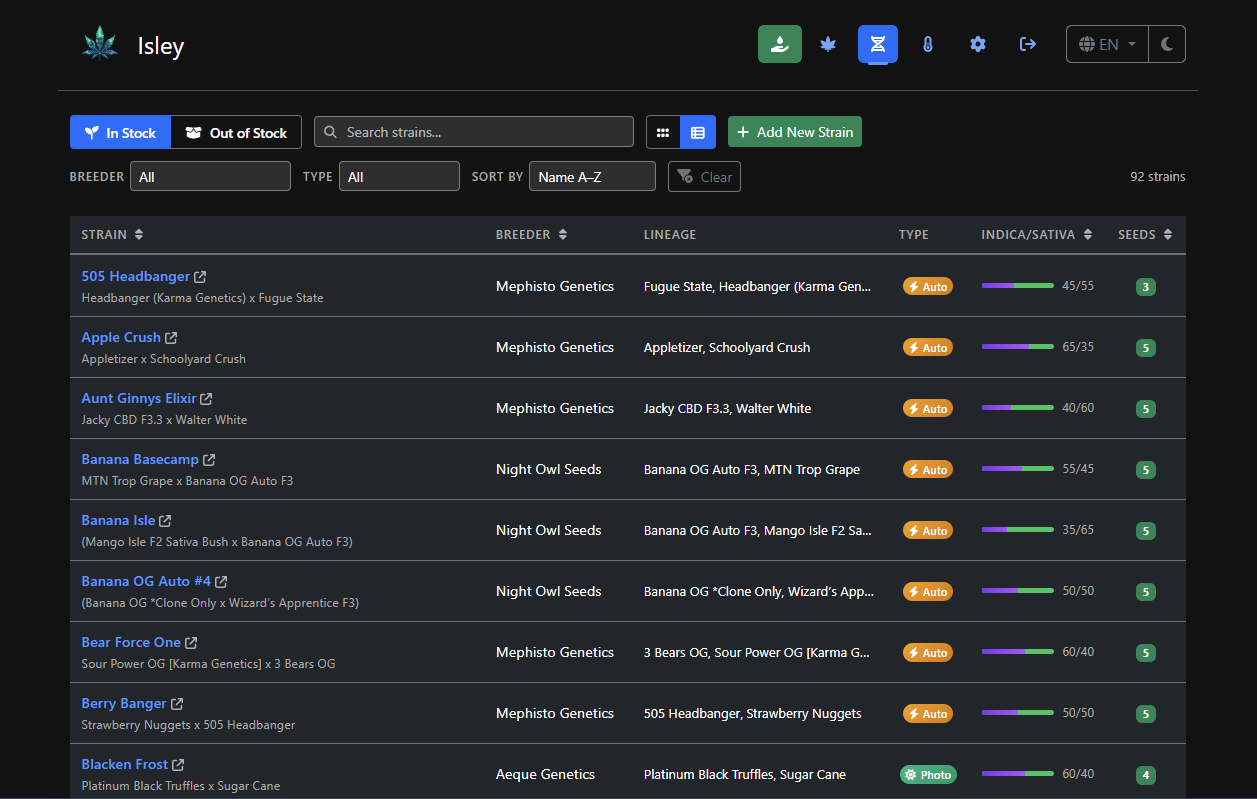
Strains
Seed Inventory — strains, breeders, and lineage
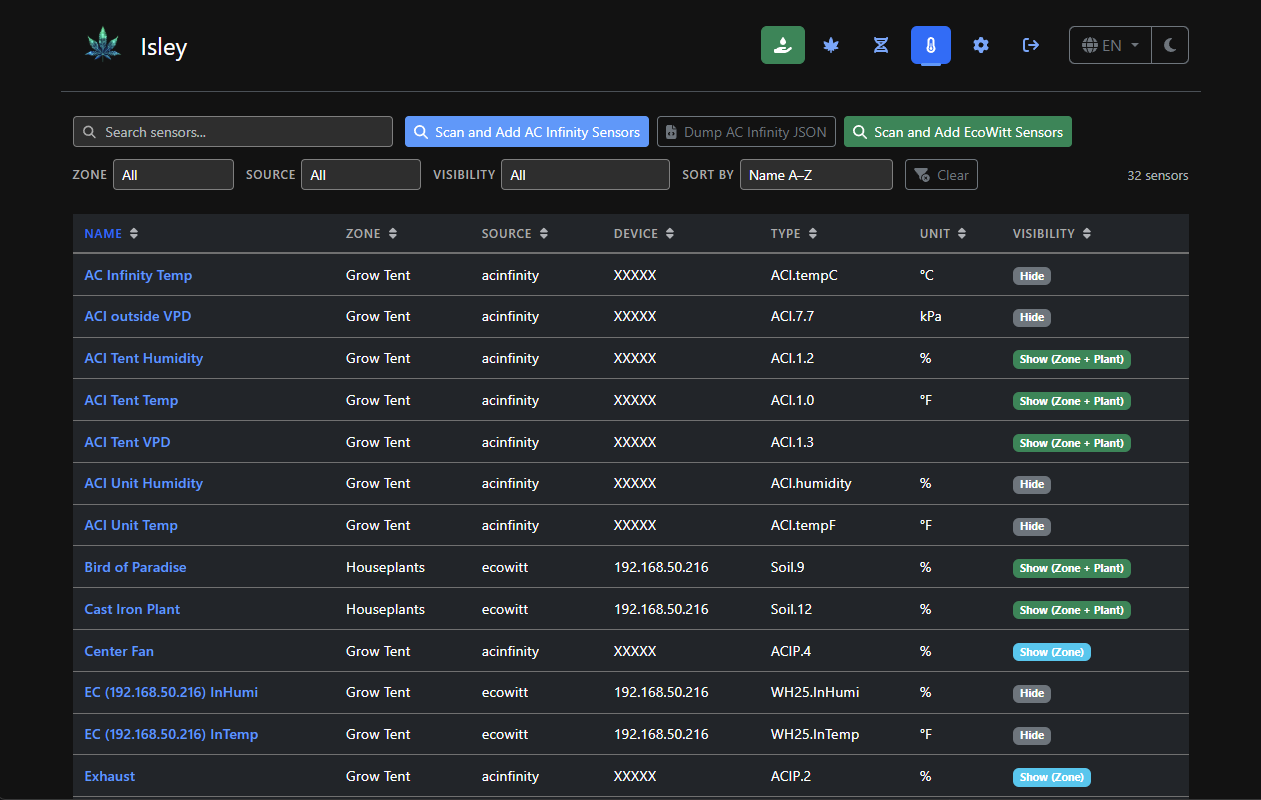
Sensors
Sensor Management — AC Infinity, EcoWitt, and custom
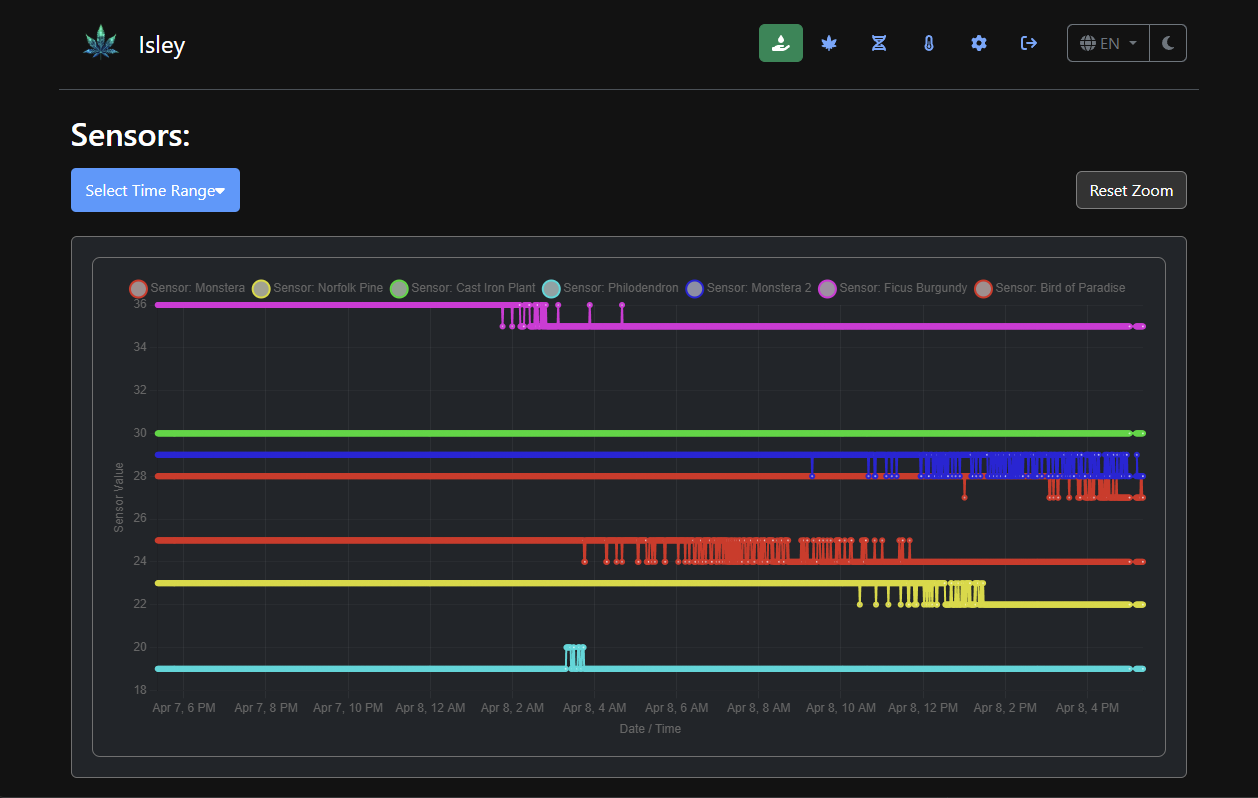
Graphs
Sensor Graphs — interactive charts with time range selection

Up and running in minutes

Deploy with Docker Compose — PostgreSQL recommended for production

# docker-compose.yml
version: '3.8'

services:
  isley:
    image: dwot/isley:latest
    ports:
      - "8080:8080"
    environment:
      - ISLEY_DB_DRIVER=postgres
      - ISLEY_DB_HOST=postgres
      - ISLEY_DB_PORT=5432
      - ISLEY_DB_USER=isley
      - ISLEY_DB_PASSWORD=supersecret
      - ISLEY_DB_NAME=isleydb
    depends_on:
      - postgres
    volumes:
      - isley-uploads:/app/uploads

  postgres:
    image: postgres:16.8-alpine
    environment:
      - POSTGRES_DB=isleydb
      - POSTGRES_USER=isley
      - POSTGRES_PASSWORD=supersecret
    volumes:
      - postgres-data:/var/lib/postgresql/data

volumes:
  postgres-data:
  isley-uploads:

Run docker-compose up -d then visit http://localhost:8080
Default login: admin / isley — you'll be prompted to change your password.

Full Setup Guide

Sensor Integrations

Connect your hardware or push data from any device

AC Infinity
EcoWitt
Custom HTTP API
Home Assistant
Node-RED

Any device that can make an HTTP POST can push sensor data into Isley.

Go Docker PostgreSQL SQLite MIT License


